

What’s next?
Thank you for choosing OneAZ for your home loan. Here’s everything you need to know to get started.
- Sign into Online Banking to access your account – click here for a quick guide.
- Download the OneAZ Mobile Banking app so you can access your accounts and set up payments—all without leaving your living room!
Do it all with the
OneAZ Mobile Banking app.

Deposit
checks
Transfer
funds
Pay
your bills
Chat with an
associate
Locate
an ATM
Download the OneAZ Mobile Banking app


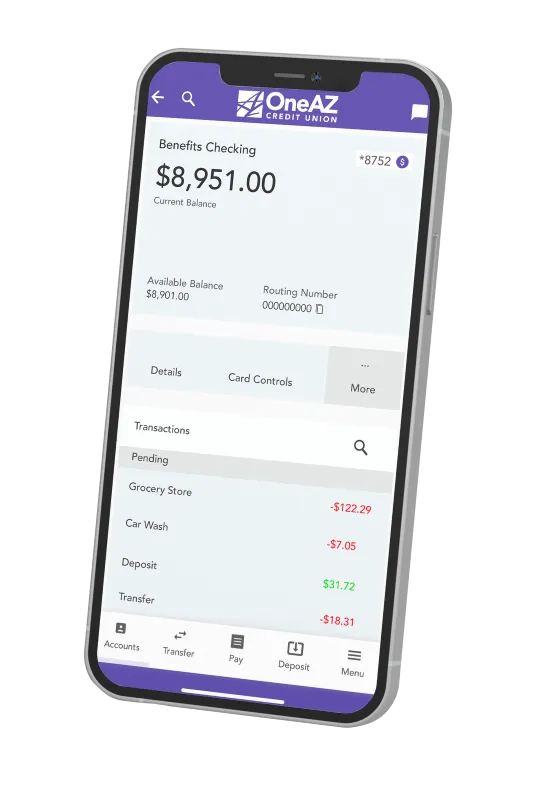
Do it all with the
OneAZ Mobile Banking app.
Deposit checks
Transfer funds
Pay your bills
Chat with an associate
Locate an ATM
Download the OneAZ Mobile Banking app

Mortgage FAQs
You have the option to receive eStatements or paper statements. If you are not enrolled in Online and Mobile Banking, you will default to paper statements.
Once you are enrolled in Online and Mobile Banking, click on the three dots in the blue navigation bar and select Documents and Statements. Select Register and let us know if this is for a Personal Account or a Business Account.
Complete the required fields and select Next. Review the Consent to Electronic Documents and select the checkbox to confirm you have read and agree to the terms outlined. Then select Finish. This will complete your eStatement enrollment.
To turn eStatements off, click on the three dots in the navigation bar, select Documents and Statements, select Settings. From here, you can select the Discontinue box and click Submit.
Use the New Member Registration guide to view step-by-step instructions.
There are multiple ways to make a payment on your OneAZ loan. Take a moment to review your options below.
- Online & Mobile Banking: Once you’re logged in, select Make a Transfer then select New Transfer. On the New Transfer screen, choose the account you want to pay from, then select the loan account you want to pay. Enter your payment details and select from one-time, recurring, or ‘schedule a payment’ options. You may choose to pay from a OneAZ account or a non-OneAZ checking account, savings account or debit card. Payments may take up to three business days to post.
If the account you would like to transfer to is not in the drop-down menu, select New External Financial Institution. Follow the prompts to add the account you would like to transfer to and select Submit.
You may also select Pay a Loan with a Debit Card to make a one-time payment. - Telephone Banking: If you are transferring your payment from a OneAZ account, dial 844.663.2928 to use our automated payment service. You must enter your member number and have a pre-established PIN. Please see our Telephone Banking FAQs for additional support.
- Call Us: If you have the funds available in a OneAZ account, you can contact our Member Care Center and ask them to apply these funds toward your loan. Our Member Care Center can also take payments over the phone with a credit or debit card; there may be a fee associated with this service.
Take a look at OneAZ’s Account Disclosure Rate Supplement and Schedule of Fees and Charges to view current fees and rates. - In-person: Visit us at your local OneAZ branch and work with a teller to make your payment.
- Mail: Send a check to our corporate office at the address below. Your name and address should be on the check, and the memo line should contain your loan number and payment due date.
OneAZ Corporate Office
ATTN: Deposit Operations
2355 W. Pinnacle Peak Rd.
Phoenix, AZ 85027
You can view your mortgage loan details on your monthly statement or online.
If you’re signed into Online or Mobile Banking, select the loan account from the left pane. A screen will appear that shows your amount due, payment due date and more.

OneAZ is here to help.
Our team is here to help OneAZ members with their accounts, loans, and financial questions. Log into your online bank account and send us a secure message or chat. You can also call the Member Care Center at 844.663.2928 Monday through Friday from 8am – 6pm, or schedule an appointment at your local OneAZ branch.
Let's conquer your finances.
Whether you want to create a budget, save for a home or get started with investing, our Financial Resources Guide has articles and videos to help you make a plan and get ahead.
Bank Account Basics: The Ultimate Guide to Managing Personal Finances
Learn the fundamentals of personal banking with details on checking accounts, savings accounts, budgeting and deciding where to manage your money.
Keep ReadingBudget Worksheet (Printable)
This free budgeting worksheet with steps on how to use it will help you create a budget and hit your financial goals.
Keep ReadingHow to Create a Budget in 7 Simple Steps
These in-depth tips will help you create a budget and manage your money more effectively.
Keep Reading